

Service Intake Practice: Review the Meaning of Form Groups
2026-11-03
Service Intake Practice: Review the Meaning of Form Groups
A service intake form may place several choices under one question, followed by a separate set of contact or equipment fields. Individual labels are necessary, but readers also need to know which question the group answers. This practical review maps form groups in an approved test state and compares their visible and programmatic descriptions. It does not submit a real maintenance case or evaluate a robot's condition.
Read the intake task before collecting controls
Ask the form owner what the selected section is intended to collect. Identify whether the controls describe one choice, several independent answers or different subjects. A row of buttons or a bordered panel does not settle that relationship. Start with the actual question the service team wants a user to answer.
Record the page, version and state, including any earlier selection that reveals the section. Use a test environment and approved demonstration material where interaction is needed. Do not invent a customer identity or send a live case to discover how related controls are presented.
Pair each group question with its members
The W3C WAI grouping-controls tutorial explains presenting related controls as groups, with labels for both the group and its individual controls where appropriate. Make a sheet showing the group question, member labels and intended relationship. This makes it possible to discuss a confusing section without treating each control as an isolated item.
Read the group label together with each member label. A terse answer such as Other may only make sense under its question. If that question is missing or separated by unrelated content, retain the specific context problem. Do not repair it by adding the entire form title to every control without considering the resulting repetition.
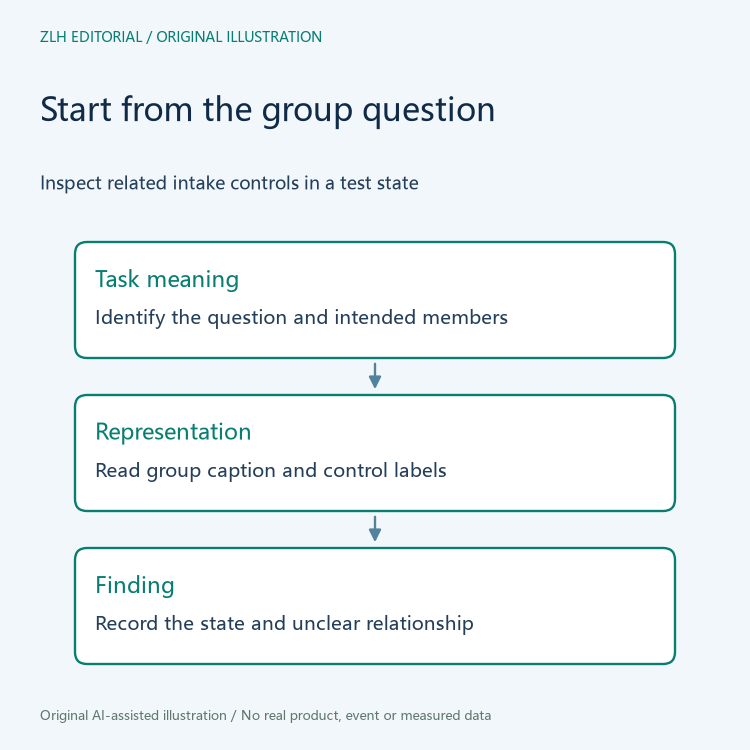
Inspect the semantic group and its caption
The HTML Standard's fieldset section describes grouping form controls, with a legend providing the group caption. Inspect how the actual page represents the intended relationship. A visual border alone is not evidence that the controls expose a corresponding semantic group.
Retain the group element, caption text and control membership in the note. The developer may need to explain another applicable grouping approach, so report the actual implementation rather than assuming one appearance proves a particular element. Keep the question focused on whether the represented relationship matches the intake task.
Review repeated and nested groups in their own context
An intake page may repeat a set of controls for several attachments or equipment items. Identify which instance the observation concerns and how its group label distinguishes it. A caption that makes sense once can become ambiguous when several identical groups appear together. The record should let another reviewer locate the same instance.
Where a group contains a smaller related group, ask whether the nesting expresses the intended questions clearly. Do not create extra groups merely because controls occupy separate columns on screen. The content owner should explain the relationship, and the developer should map that meaning into the chosen implementation.
After a conditional question appears, inspect the resulting state again. A newly displayed control may belong to the preceding group or a new question. Preserve the action that revealed it and the observed membership. An initial screenshot cannot establish the structure of every later intake step.

Return a reproducible group-specific finding
The handover should name the page state, group question, members, current representation and clarification needed. Keep the observed implementation distinct from the proposed revision. If the team changes the group, repeat the same intake path and inspect the revised structure rather than assuming that a visual adjustment fixed the relationship.
Use the group's task meaning as the basis for the recheck. Can the reviewer tell which question each member answers, without relying on remembered screen position? Appropriate evaluation with assistive technology can complement this structural inspection. The limited sheet should not be reported as a complete accessibility audit.
Check whether the group instructions make the expected choice clear. A question asking for one answer and a question permitting several answers need different content explanations, even when the controls are visually similar. Record the intended answer relationship with the owner instead of inferring it from a screenshot. If a selection reveals another question, identify whether that question changes the group or starts a separate one. Keep the test state and demonstrated choices in the note so the developer can inspect the same relationship without needing a real customer's case.
The original diagrams contain no real service form or case details. Further topics appear in the robot service intake collection and article directory. Clear form groups make the relationship between questions and answers explicit, helping the service team communicate what it needs while preserving the separate process of evaluating an actual maintenance report.


